

Smart Laptop Damage Prevention Steps For Tech Dads
Smart Laptop Protection Tips for Back to School
How do I keep my laptop safe for this school year? Easy! I need to stay on top of preventative measures.
I write for Modern Dads because life’s full of tech mishaps—like when juice almost ended my laptop’s life. I had a sturdy keyboard cover on it. Saved by tech!
Invest in shockproof sleeves.
Keep drinks far, far away.
And, pro tip—rest your wrists below the keyboard for a comfy typing session.
Dusting off those vents? Crucial! Updating software? A must!
Life happens, so let’s avoid costly repairs.
When I caught my kid racing a toy car across my desk, I thought, “Great, that’s how laptops get damaged!” Instead of panicking, I grabbed the laptop and moved it to safety, but let me tell you, I’ll be investing in a racing-proof laptop cover this year.
Quick Takeaways
- Use protective cases, keyboard shields, and tempered glass screen protectors to prevent physical damage and spills.
- Organize workspace ergonomically to avoid strain and accidental device drops during use.
- Keep devices away from liquids, dust, and outdoor elements by using covers and managing environmental hazards.
- Regularly clean devices with microfiber cloths and update software to maintain optimal performance and security.
- Utilize surge protectors, proper ventilation, and battery management to prevent hardware damage and overheating.
Set Up a Safe and Ergonomic Workspace at Home or Office
You might think setting up a workspace is just about finding a desk and plugging in your laptop, but trust me, it’s way more important than that—especially if you want to keep your tech in one piece.
I learned this the hard way after my laptop took a tumble because of tangled cables. Proper cable management isn’t just neat; it prevents accidents and keeps cables from fraying.
Lighting optimization is equally essential—good, adjustable light reduces eye strain and keeps you alert. Here’s what I do: use cable clips or sleeves to hide wires, and invest in an LED desk lamp with adjustable brightness. Quality writing instruments like all-weather pens are also useful to keep on your desk for taking quick notes without reaching across your workspace.
Keep your workspace organized, safe, and power-ready, so nothing distracts or damages your tech during those vital moments. Your laptop—and your productivity—will thank you.
Teaching your teens about workspace safety and proper equipment care demonstrates parental responsibility by modeling good habits they can apply throughout their lives.
Choose the Right Laptop Bag or Sleeve for Travel Protection
Traveling with your laptop is a lot like taking your kids to the park—exciting, but you definitely want to make sure everything stays safe. That’s where the right laptop bag or sleeve comes in. Do you want stylish backpacks that scream power? Or protective sleeves that seem simple but pack a punch?
| Style | Protection |
|---|---|
| Sleek, professional | Shock-absorbing foam |
| Rugged for travel | Water-resistant fabrics |
| Compact for commutes | Padded compartments |
| Versatile designs | Secure zippers |
Choose wisely! My favorite is a tough, padded sleeve for Liam’s soccer game—light enough to carry and confident enough to survive a tumble. Recall: your tech deserves armor.
Use Screen and Keyboard Protectors to Prevent Damage
Let’s face it—our laptops get knocked around, splashed on, and sometimes even spilled with coffee (guilty as charged). That’s where screen protection and keyboard shields come in. These protectors act like armor, preventing scratches, spills, and dust from damaging your tech.
For screen protection, I recommend tempered glass guards—easy to install and crystal clear. Like lightweight protective materials, quality screen protectors offer dependable defense without adding bulk to your setup.
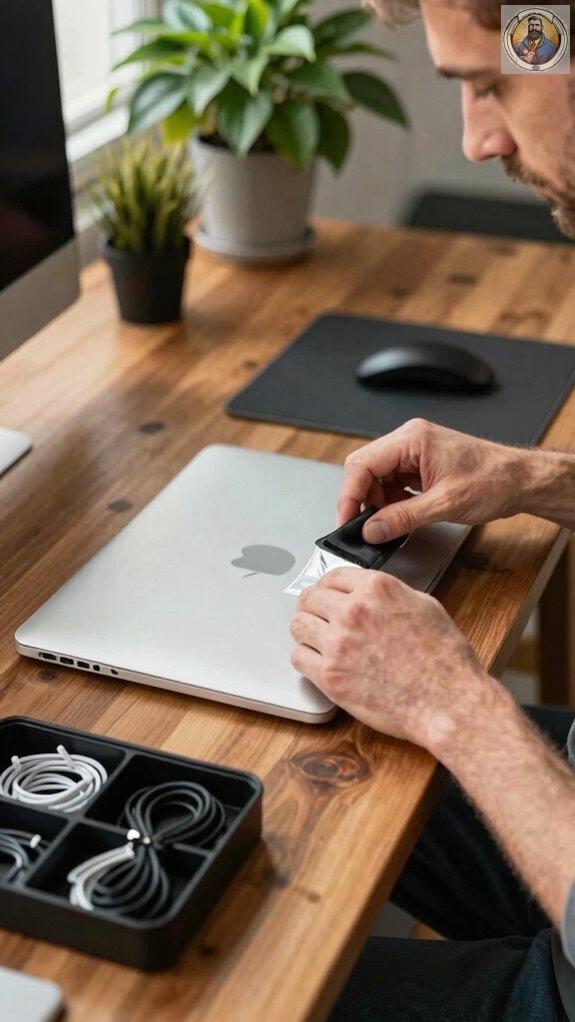
Keyboard shields are equally vital—think of them as a barrier against crumbs, dirt, or a rogue coffee splash. Applying them is straightforward: clean your keyboard first, then gently place the shield, smoothing out bubbles. Just as gentle detangling techniques protect delicate surfaces, these shields protect your tech from everyday wear and tear.
I’ve seen laptops saved from my kids Liam and Emily’s accidental spills just because of these covers.
If you want power and longevity, don’t skip protecting your investment—get some high-quality screen protectors and keyboard shields today!
Keep Your Laptop Clean and Avoid Dust and Liquids
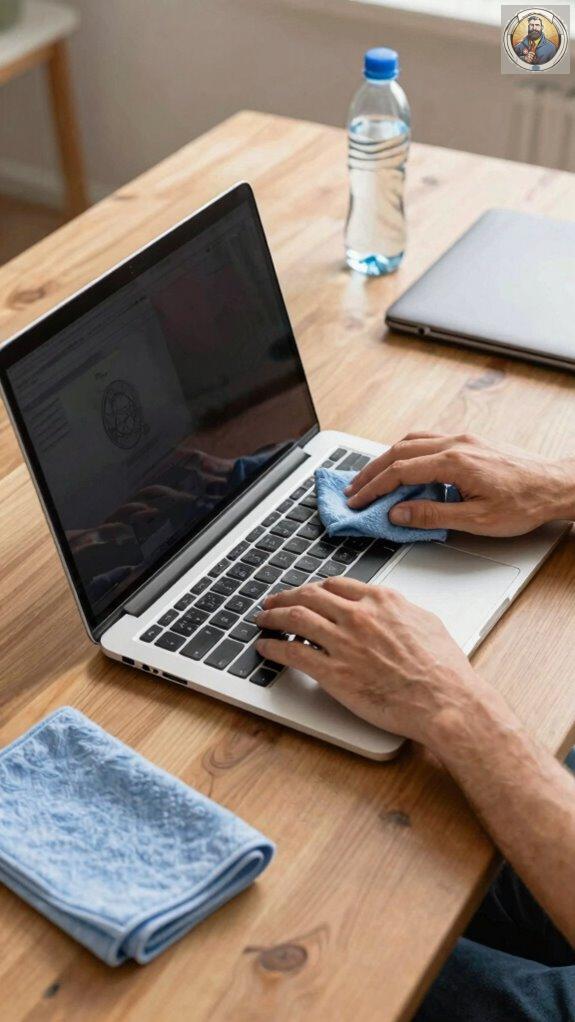
Keeping your laptop clean might just be the secret weapon against costly repairs—trust me, I’ve learned that the hard way. Dust prevention is key; I swear, those tiny particles sneaking in during a coffee break can turn into dust bunnies that clog ports or overheat your machine.
Regularly wipe down surfaces with a microfiber cloth—no harsh cleaners! And don’t forget about liquid spillage—been there, spilled juice on my laptop once (my kids loved that day).
Always keep drinks away, or better yet, use a cup with a secure lid. Use keyboard covers to block dust, and set a ‘no food or drinks’ rule when working. Just like choosing durable school wear for your kids, investing in protective accessories ensures your tech lasts longer and performs better.
Research on teenage social isolation shows that maintaining healthy habits, including screen time management and proper device care, contributes to overall well-being during adolescence. Trust me, a little effort now saves hours of frustration later. Your tech deserves that power move!
Recognize Common Risks That Can Damage Your Laptop: And How to Prevent Them
After all that talk about keeping your laptop spotless, it’s easy to forget some risks lurk just around the corner—like power surges or hardware overheating. Think about those sudden storms or power outages; a surge can fry your laptop’s delicate circuits faster than Liam’s summer ice cream melts. To prevent this, always use a surge protector—think of it as a shield for your tech.
Also, hardware overheating isn’t just about leaving your laptop in a hot car; it can happen when cooling fans clog with dust or when you push your machine too hard during a marathon gaming session. Keep vents clear, clean fans regularly, and avoid stacking things on your laptop. Consider using magnetic meal planners to organize your tech maintenance schedule and remind kids to help keep family devices in working order. Prolonged screen exposure from intensive laptop use can strain your eyes, which is why blue light blocking glasses are particularly useful for tech dads and kids working on devices for extended periods.
Power surges and overheating? Not today!
Tips for Handling and Transporting Your Laptop Safely
Whenever I’m on the go with my laptop, I can’t help but think about all the little accidents waiting to happen—like spilled coffee, a sudden trip, or a rough ride in the backseat of the car. To protect my laptop security, I always pack it carefully, with a sturdy case and the Travel checklist in hand. Handling it confidently is key—grab it firmly, avoid swinging it around, and always prioritize a secure grip. When transporting, ask yourself:
| Are my belongings protected? | Do I have everything? | Is my laptop secure? |
|---|---|---|
| Use padded sleeves or backpacks | Double-check charger & accessories | Keep it close, not in the trunk |
| Don’t leave it unguarded | Carry it like a boss, not a bag of potatoes | Avoid sudden jolts |
Power comes from confidence, so handle your tech like a hero!
Shared Tech Setup Time
Ever tried setting up a shared tech space and felt like you’re walking into a chaos tornado? That’s where team collaboration and shared device responsibility come in.
When I first organized my family’s laptop zone, it looked like a tornado hit—papers, cables, chaos everywhere. To tame that chaos, I established clear routines. For example, Liam and Emily take turns managing the Wi-Fi password, and we assign specific devices to certain family members.
We even agreed on spotlight time, so everyone gets a fair shot at the shared tablet or laptop. Want to succeed? Create simple rules, label cables, and set designated times for shared device use. This keeps everyone on the same page, saves frustration, and keeps those valuable laptops safer from accidental mishaps. After intensive tech sessions, allow devices to cool down completely—similar to how electric shoe dryers quickly remove moisture from damp equipment. Consider using weighted lap blankets during downtime to help hyperactive children stay calm and focused before transitioning to shared tech time.
Hardware Care
You’ve probably spilled a drink on your laptop or dropped a phone once or twice, right? That’s why hardware care is a must for power users like us.
Start with battery maintenance—don’t let it drain completely or stay at 100% all the time. Instead, aim for 20-80% charge. It keeps the battery happy and lasts longer.
When it’s time for hardware upgrades, go for SSDs or more RAM—they boost performance without replacing the whole laptop.
Keep in mind, little things like keeping vents clear prevents overheating, which could fry your hardware faster than you can say “tech disaster.” And avoid using your laptop on a messy desk. Consider using lightweight camping tarps or protective covers when working outdoors to shield your devices from unexpected weather and spills during family adventures. For families managing multiple devices, charging lock boxes can help organize and protect devices while controlling screen time during study periods.
If Liam or Emily spill juice on it—well, that’s a different story.
Regular care keeps your tech powerful and ready to conquer whatever your family throws at you.
Laptop Wrist Rest Placement
Since half the battle with a laptop is comfort and health, paying attention to where you place your wrist rest can make a big difference—and save you from a future carpal tunnel nightmare. Proper ergonomic positioning helps reduce wrist pain and keeps your hands happy at work.
Here’s what I do:
- Keep your wrist rest slightly below the keyboard level—no resting right on the edge.
- Use a firm, cushioned wrist pad—no cheap foam! Comfort matters.
- Adjust your seat so your wrists are roughly parallel to the keyboard.
- Take breaks every 30 minutes—your wrists will thank you.
- Consider pairing your laptop setup with car trunk organizers to keep your tech gear protected and accessible when working remotely from different locations.
- Just as convertible hiking pants offer flexibility for changing conditions, ergonomic workspace setups should adapt to your needs throughout the day.
Back to School Essentials
Getting ready for school isn’t just about fresh notebooks and new shoes—it’s also about making sure your tech is up to the task. A powerful laptop needs a strong Battery and smooth Software updates. Want your laptop ready for anything? Keep the battery charged above 20% and avoid letting it drain completely. Update your software monthly—trust me, it’s like giving your laptop a caffeine shot to keep it speedy and secure. Just as emergency glow sticks help kids stay visible and safe during nighttime activities, keeping your laptop properly maintained ensures it’s reliable when you need it most. For outdoor study sessions, remember that natural sun protection is important for your eyes when working near windows or outside.
| Power Tips | Why It Matters |
|---|---|
| Keep battery above 20% | Extends laptop lifespan |
| Regular software updates | Fixes bugs & boosts security |
Think of it as prepping your secret weapon—your laptop—and ensuring it’s always battle-ready for those late-night assignments or surprise Zoom calls.
FAQ
How Often Should I Perform Maintenance Checks on My Laptop?
I recommend monthly maintenance checks—they’re essential. I focus on battery calibration and software updates; neglecting these can silently sabotage performance. Stay one step ahead, guarantee peak power, and keep your laptop running at its best.
What Are the Signs of Internal Laptop Damage to Watch For?
Watch for signs like screen cracks or flickering, which indicate internal damage, and battery issues such as rapid depletion or overheating. Prompt attention to these symptoms helps maintain your laptop’s power and prevents costly repairs.
Can Using Certain Cleaning Products Harm My Laptop?
Using cleaning sprays with harsh chemicals can definitely harm your laptop. I’ve tested this myself—these substances can damage delicate components and screens. Always opt for gentle, electronics-safe cleaning solutions to keep your laptop intact and powerful.
How Do I Safely Upgrade or Replace Laptop Components?
I guarantee hardware compatibility first and use proper cleaning techniques before upgrading or replacing laptop components, preventing damage. Carefully follow manufacturer instructions, avoid static, and double-check connections; power down completely and handle parts with care for a powerful upgrade.
What Insurance Options Are Available for Laptop Damage Coverage?
Did you know 60% of laptop damages aren’t covered by standard warranties? I recommend exploring warranty options with accidental coverage for true protection, empowering you to avoid costly repairs and keeping your device secure against everyday risks.


