

Teen Personal Data Breach Prevention Tips
Data Security for Teens: A Dad's Take
Keeping my kids' personal data safe? Yeah, that's a full-time job. Writing this for Modern Dads because, honestly, who needs a data breach to ruin a good day?
Teens like my kiddo, Emily, are so tech-savvy. They think passwords are like their favorite TikTok dance—easy to remember. But seriously, mix letters, numbers, and symbols. It's not rocket science.
Two-factor authentication? It's like a bouncer for their social media. And oh, those phishing emails—if it sounds too good to be true, it probably is. Just like that time I thought I could cook a gourmet meal from a YouTube video. Spoiler: I can't.
One time, my kid received a friend request from someone they didn't know. Of course, I had to swoop in like a superhero dad. I said, "What if that's a hacker trying to steal your info?" We laughed, but I could tell it hit home. We talked about keeping profiles private and only accepting familiar faces.
It's a wild world out there, and I want to arm them with the knowledge they need. After all, I can't be their tech support forever!
Quick Takeaways
- Use complex passwords combining letters, numbers, and symbols to enhance account security and reduce the risk of breaches.
- Enable two-factor authentication on all accounts for an extra layer of protection against unauthorized access.
- Regularly review and adjust privacy settings on social media to limit who can view your personal information.
- Be cautious about accepting friend requests and interacting with strangers online to avoid scams and fake profiles.
- Stay informed about common online scams and phishing tactics to recognize and avoid potential threats.
Understanding the Risks of Data Breaches

When it comes to data breaches, think of your personal information as a treasure chest—one that you definitely don't want raiders to discover.
Did you know that 72% of kids have faced cyber threats? That's a lot of treasure hunting!
Your personal identifiable information and financial details are prime targets. Keeping accounts safe is essential to prevent these threats. Online friendships can sometimes lead to unintentional data sharing, making it crucial to be cautious.
Your personal information and financial data are like gold—guard them fiercely from potential thieves.
Accidental sharing, like giving out passwords, can lead to trouble.
So, how do you protect your treasure?
Keep an eye out for unusual system behavior or phishing emails.
Stay updated on your security software.
Essential Security Practices for Teens
Here are some must-have security practices:
- Create complex passwords mixing letters, numbers, and symbols.
- Enable two-factor authentication for all accounts.
- Use a password manager—trust me, your brain will thank you!
- Regularly check for suspicious activity. It's also crucial to be aware of webcam extortion risks that can arise from sharing personal images.
When shopping online, always choose secure payment methods like PayPal. Secure payment methods reduce the risk of fraud, making your online transactions safer.
And for heaven's sake, avoid public Wi-Fi for sensitive transactions!
These small steps can make a massive difference.
Stay sharp, and keep in mind, knowledge is power!
Your online safety is worth it.
Managing Privacy Settings on Social Media
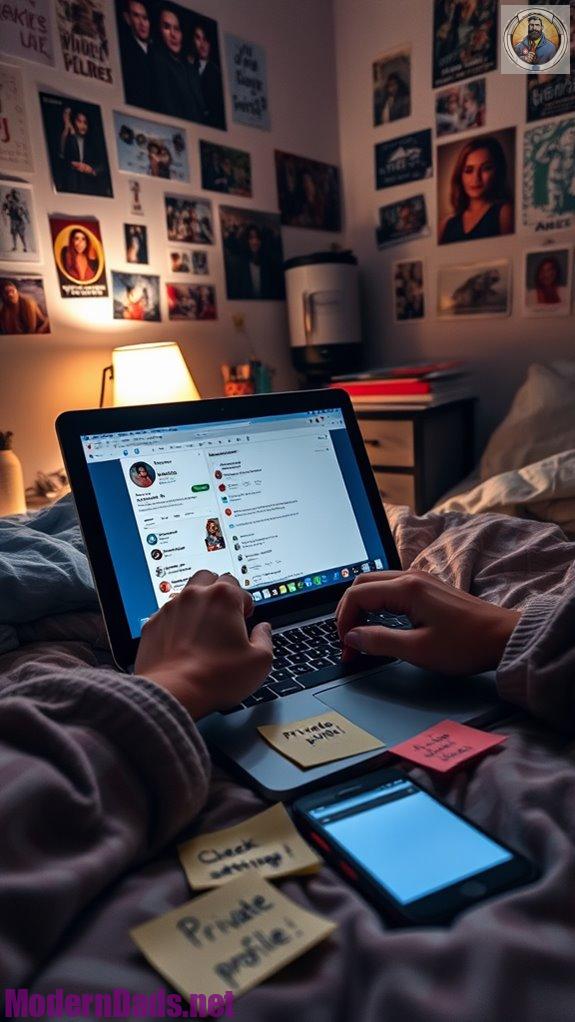
Maneuvering the wild world of social media can be a bit like walking a tightrope—exciting, but one wrong move and you could take a tumble!
So, how do I keep my balance?
- Set your profiles to private. It's like a digital fortress!
- Customize who can comment or share. You wouldn't let just anyone crash your party, right?
- Only accept friend requests from folks you know.
- Turn off location services. No one needs to know you're at the mall! Social media apps collect data for revenue; limit data access.
Regularly review these settings, too. Platforms change, and so should your privacy tactics!
Stay smart, stay safe!
Recognizing Safe Browsing Habits
Staying safe online isn't just about locking down your social media profiles; it's also about how you browse the web.
I mean, who wants to fall for a scam?
Here's how to recognize safe browsing habits:
- Use safe search tools—filter out the weird stuff.
- Avoid sketchy sites promising free iPhones. Seriously.
- Keep your antivirus software updated—like a superhero for your computer.
- Don't click those pesky pop-ups—trust me, they're trouble.
- Oh, and cover your webcam! You never know who's watching.
Additionally, it's crucial to understand online risks, including cyberbullying and identity theft, as these can significantly impact your online experience.
Master these habits, and you'll navigate the internet like a pro. Your data will thank you!
The Importance of Communication About Online Safety

When it comes to online safety, talking about it's just as essential as practicing it.
Discussing online safety is as crucial as taking action—let's prioritize these conversations to empower ourselves and others.
We need to openly discuss online risks—like cyberbullying and privacy breaches.
Why? Because knowledge is power!
Consider your digital footprint; it sticks around longer than that embarrassing photo from last year. Monitoring online activities can help identify potential risks before they escalate.
Here's how to foster communication:
- Create a safe space for discussions.
- React supportively when issues arise.
- Regularly check in about online experiences.
Utilizing Resources for Enhanced Protection
While diving into the digital world can feel like exploring a vast ocean, it's essential to know that there are tons of resources out there to help you navigate these waters safely.
Consider:
- Verizon's Digital Security Hub for credible info.
- Parental control apps like Bark to monitor online activities.
- Antivirus software to guard against malware.
Stay updated! Regular software updates protect you, and strong passwords are a must—get a password manager! With 95% of teens having access to a smartphone, it's crucial to be proactive about your online safety.
Lastly, don't underestimate the power of family support. Discuss your online habits with parents; trust me, it'll make a difference.
Why not take charge of your digital destiny today?
Common Online Frauds Awareness
Have you ever wondered just how easily online fraudsters can sneak into our digital lives?
Online fraudsters can infiltrate our lives more easily than we think—stay vigilant!
It's alarming! Scammers target teens with fake profiles, phishing links, and those "too good to be true" contests.
Here's what to watch for:
- Fake Profiles: They're everywhere! Don't trust every "friend" you meet online.
- Phishing Links: If it looks suspicious, don't click!
- Blackmail: Keep your personal stuff private. Victims of online scams are often at risk of experiencing mental health issues due to the emotional toll these scams take.
Remember, the online world isn't as friendly as it seems.
Stay informed, and don't let your guard down!
I'm here to help you navigate these digital waters—because I've got kids who'll soon be online too!
References
- https://www.safewise.com/resources/internet-safety-for-teens/
- https://amtrustfinancial.com/blog/small-business/5-data-breach-prevention-tips
- https://www.scu.org/cybersecurity-tips-for-teens-to-stay-safe-online/
- https://www.techtarget.com/searchsecurity/tip/How-to-prevent-a-data-breach-10-best-practices-and-tactics
- https://www.staysafeonline.org/articles/talking-to-kids-and-teens-about-security-and-privacy
- https://www.bitdefender.com/en-us/blog/hotforsecurity/talking-to-strangers-online-tips-to-teach-your-kids-about-digital-safety-2
- https://raisingchildren.net.au/teens/entertainment-technology/cyberbullying-online-safety/internet-safety-teens
- https://www.auditboard.com/blog/tips-to-prevent-cyber-security-breaches/
- https://www.helpnetsecurity.com/2024/12/06/ai-cyber-incidents/
- https://collegemoneytips.com/teens-and-cybersecurity/
- https://www.becu.org/articles/security-tips-your-teen-needs-to-know
- https://cymulate.com/blog/best-practices-for-preventing-a-data-breach/
- https://cpisecurity.com/blog/teen-safety-tips/
- https://lifeteen.com/social-media-privacy-settings/
- https://dataprivacymanager.net/how-to-protect-your-privacy-on-social-media/
- https://www.pewresearch.org/internet/2013/05/21/teens-social-media-and-privacy/
- https://webfoundation.org/research/teenagers-on-social-media-understanding-managing-privacy/
- https://www.webwise.ie/parents/social-networking-advice-for-teenagers-2/
- https://www.aecf.org/blog/internet-safety-for-kids
- https://ironvest.com/blog/data-breach-prevention/


